BOYA BY-PM700 Pro Review: A Desktop Microphone with USB-C and XLR
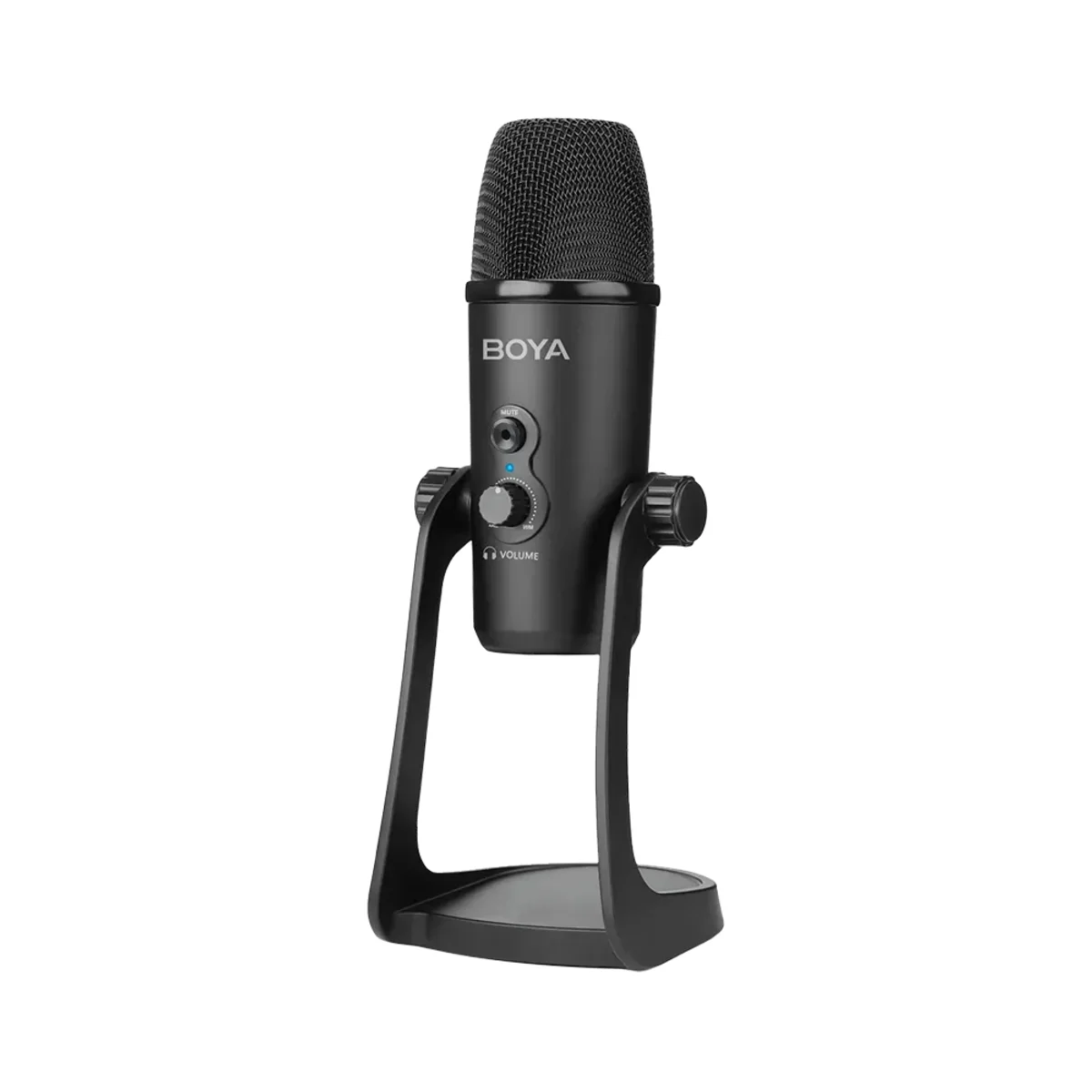
The BOYA BY-PM700 Pro is our pick for creators who want one desktop microphone that can plug into a computer today and an XLR interface later. It offers a USB-C digital output and an XLR analog output, works with Android, Windows and Mac, and targets podcasting, home studio, voice-over and video calls.
The BOYA BY-PM700 Pro is our pick for creators who want one desktop microphone that can plug into a computer today and an XLR interface later. It offers a USB-C digital output and an XLR analog output, works with Android, Windows and Mac, and targets podcasting, home studio, voice-over and video calls.
$129.99 listed · Save $13.00
10% off
FRIEND-6GTP4T3BY-PM700 Pro · US
Price checked 2026-10-27. Before tax and shipping. Based on the listed price; final price at the retailer.
Affiliate link. We may earn a commission at no extra cost to you. Details
Podcasters, streamers and remote workers who want a desktop microphone with both a USB-C and an XLR connection.
You want a very low-priced USB-only mic; our BOYA CM40 review covers a cheaper USB option.
A microphone that can start on USB and grow into an XLR setup saves you from buying twice. The BOYA BY-PM700 Pro is a desktop microphone with both outputs, so you can plug it straight into a computer or send an analog signal to an interface or mixer. We recommend it for podcasting, voice-over, streaming and calls.
Two connections
The USB-C output carries a digital signal to Android devices and to Windows and Mac computers, with the mic powered by DC 5V. The XLR output sends an analog signal to an interface or mixer, powered by 12 to 48V phantom power. That flexibility is the main reason to choose it over a USB-only mic.
Where it fits
BOYA positions the microphone for podcasting, home studio recording, voice-over and video calls. It sits on a desk, so it suits a fixed workspace rather than field use.
For a lower-priced USB option, see our BOYA CM40 review. Our lavalier vs shotgun microphone guide covers how to choose between desk, clip-on and shotgun microphones.
Buying recommendation
Choose the BOYA BY-PM700 Pro if you want one desk microphone with USB-C and XLR. Skip it if you only need a simple USB mic and want to spend less.
Use code FRIEND-6GTP4T3 for 10% off at BOYA; the price box above shows the listed and with-code prices. The BOYA offer page has the code and shopping button.
What we like
- Both USB-C digital and XLR analog outputs
- Works with Android, Windows, Mac and analog audio devices
- Designed for podcasting, home studio, voice-over and video calls
- A desktop design that suits a fixed workspace
What to know
- XLR use needs phantom power from an interface or mixer
- The official listing gives few specifications, so check the brand page before buying
Key specs
| Model | BOYA BY-PM700 Pro |
|---|---|
| Type | Desktop microphone |
| Outputs | USB-C digital and XLR analog |
| Power | USB: DC 5V; XLR: phantom power 12 to 48V |
| Compatibility | Android, Windows, Mac and analog audio devices |
| US listed price | $129.99 |
Questions
What is the discount code for the BOYA BY-PM700 Pro Desktop Microphone?
The BOYA discount code is FRIEND-6GTP4T3 for 10% off at boya-mic.com. For BY-PM700 Pro, the estimated price is $116.99 USD with FRIEND-6GTP4T3, before tax and shipping (2026-10-27). Eligibility for this exact product or variant is unconfirmed. Referral offer. Open the referral link to view eligibility and redemption instructions; confirm the discount before payment.
Who is the BY-PM700 Pro Desktop Microphone best for?
Podcasters, streamers and remote workers who want a desktop microphone with both a USB-C and an XLR connection.
Who should skip the BY-PM700 Pro Desktop Microphone?
You want a very low-priced USB-only mic; our BOYA CM40 review covers a cheaper USB option.
Does it have USB and XLR?
Yes. It has a USB-C digital output and an XLR analog output.
What power does it need?
USB use draws DC 5V; XLR use needs phantom power of 12 to 48V.
What devices does it work with?
Android devices, Windows and Mac computers, and analog audio devices.
What is it for?
Podcasting, home studio recording, voice-over and video calls.