WayinVideo Review: AI Clip Maker Plans and Workflow
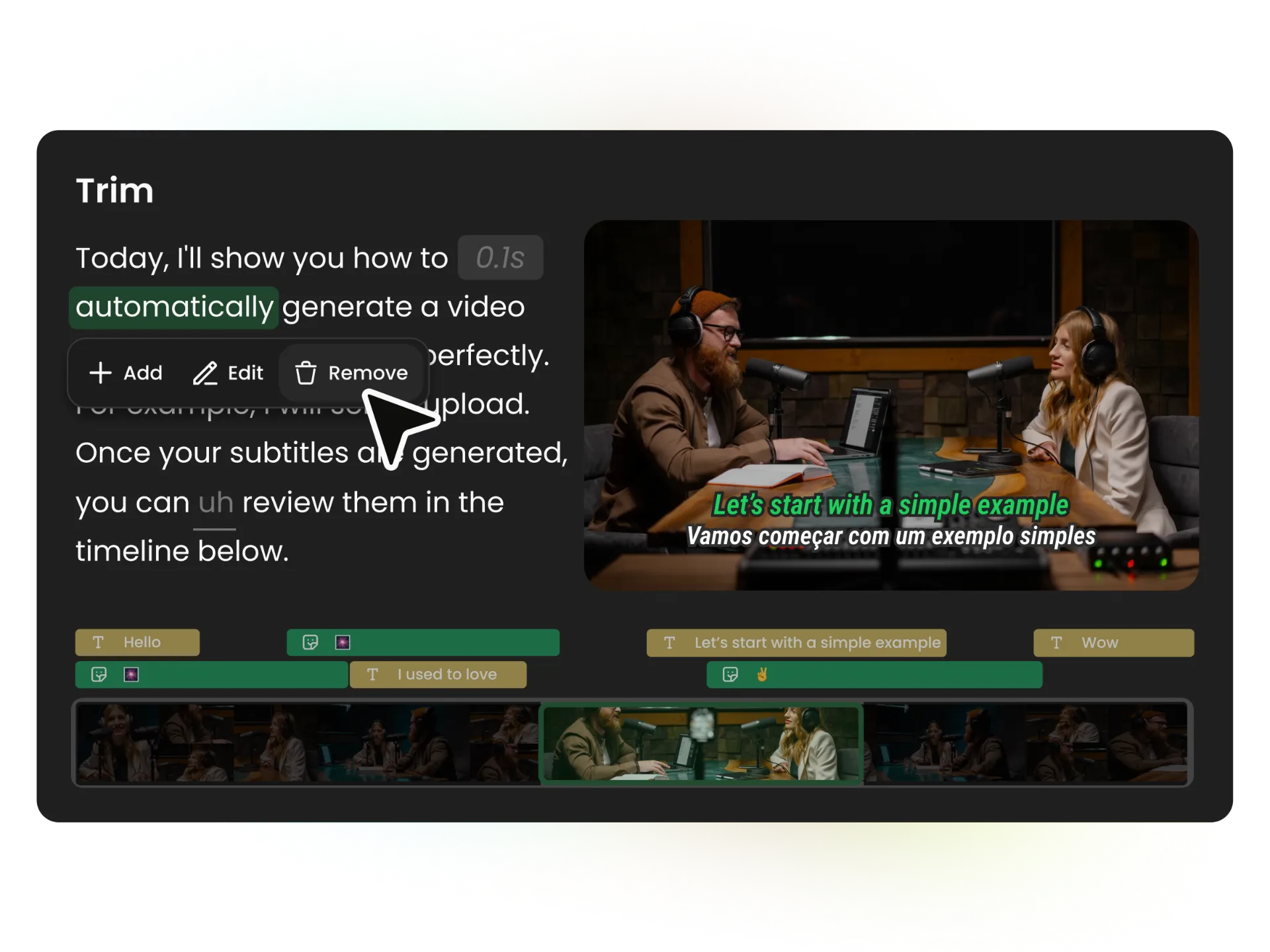
WayinVideo's Clip Maker is aimed at creators who repeatedly turn long recordings into short social videos, with transcript-led edits and publishing tools alongside automated clip selection. Its free plan is useful for a small trial, but limited credits, 720p output, no local upload, 512 MB of Free cloud storage kept for three days and a three-day clip-export window make it a poor fit as a continuing camera-footage workflow.
WayinVideo's Clip Maker is aimed at creators who repeatedly turn long recordings into short social videos, with transcript-led edits and publishing tools alongside automated clip selection. Its free plan is useful for a small trial, but limited credits, 720p output, no local upload, 512 MB of Free cloud storage kept for three days and a three-day clip-export window make it a poor fit as a continuing camera-footage workflow.
25% off first payment
TESTEDStarter monthly plan · US
Price checked 2026-10-30. Listed monthly subscription rate; taxes may apply. Confirm first-payment eligibility and the renewal amount at checkout.
Affiliate link. We may earn a commission at no extra cost to you. Details
Creators who publish regularly from long recordings and want AI-assisted highlight selection, transcript edits, captions and a path from camera files to social clips.
You need local-only processing, a guaranteed viral result, detailed manual control without an editorial pass, or only trim clips occasionally.
WayinVideo’s AI Clip Maker is designed for creators who have more footage than editing time. The official product page describes a workflow that selects moments from a longer video, lets you adjust cuts through the transcript, and supports captions, reframing and social publishing. It is a sensible category of tool to consider for a recurring podcast, interview or creator channel, but the output still needs a person to check the story, timing and context before it goes out.
The plan choice matters if your footage starts on a camera card. WayinVideo’s public comparison does not include local file upload on Free. Starter adds local uploads up to 10 GB and lists 1080p exports. That is the meaningful entry point for a camera-to-short-form workflow; if your source video is already hosted on a supported service, the free tier may be enough to see whether the clip-finding and transcript-editing approach suits you.
Start with the source footage and output target
The vendor lists imports from YouTube, Instagram, TikTok, Facebook, X, Twitch, Kick, Google Drive, Dropbox, Zoom, Loom, Vimeo, Dailymotion, Rumble and Medal.tv. Its pricing page also distinguishes local upload by plan. Free includes 100 credits once, 720p output and clips exportable for three days. It does not include bulk editing or social auto-posting. That makes Free a trial budget rather than a reliable monthly publishing allowance.
Starter is listed at $15.99 when billed monthly, or $7.99 per month equivalent when billed yearly, with 6,000 credits per year. It raises the output limit to 1080p, includes local files up to 10 GB, and lists manual publishing to three social accounts. For solo creators who want to prepare clips and post them themselves, that may cover the main workflow without paying for team features.
Pro is listed at $26.99 monthly or $9.58 per month equivalent billed yearly, with 12,000 credits per year. The feature matrix adds 2K and 4K exports, scheduled publishing, shared brand features and two user seats. It also lists tools such as speech enhancement, AI B-roll and AI hooks that are not included on Starter. Those upgrades matter when they replace steps you already do; they are not a reason to move up if 1080p manual publishing is enough.
Credit use is clearest for the main video passes. The plan cards say one credit processes one minute of source video, and WayinVideo’s help article gives the same rate for AI Clipping and AI Notes. Basic manual edits do not use credits. Some generated editor tools can consume a variable amount each time they create a result. Starter’s 500 monthly credits therefore cover up to 500 minutes for one credit-metered pass, before separate tasks or generated edits. Monthly credits do not roll over; an annual allowance is provided upfront and unused credits expire at renewal. Try your typical source length and editing steps before committing to the annual billing interval.
Use automation as an editing assistant
WayinVideo’s page says its AI can rank clips by viral potential, find moments from natural-language prompts, and make transcripts editable for trimming. Treat those features as a first pass. A high score does not establish that a segment has a complete thought, the right context or a compelling opening, and transcript edits can change timing or meaning. Review the selected clip against the source, then check framing, speaker cuts, captions and audio before export.
For camera creators, auto-reframing and caption generation can speed up a vertical cut, while the online editor provides a place to adjust the result. Starter includes 50 GB of cloud storage while subscribed, local files up to 10 GB and manual publishing to three social accounts. Pro raises storage to 100 GB and adds 2K/4K output, scheduled publishing and two user seats. Before connecting social accounts, decide whether review, client approval and caption checks still fit your publishing process. An automated schedule can reduce repetitive work, but it should not bypass a final look at each clip.
Listed price and the partner code
The public pricing page listed Starter at $15.99 per month on October 30, 2026. It also lists an annual option as $7.99 per month equivalent, billed yearly. The annual total is not the same as paying monthly, so compare the full amount due at signup with how often you expect to use the service.
CameraTested’s partner record lists TESTED for 25% off the first payment. That benefit is owner-supplied; eligibility for the Starter plan and combination with any other promotion have not been confirmed. A separate offer banner appeared in the app interface without identifying its plan scope or interaction with TESTED. We show the listed plan price and no after-code total. Confirm the final order summary and renewal rate before subscribing.
Privacy and practical limits
This review uses WayinVideo’s public product and pricing information. No account was created and no camera or client video was uploaded, so we have not verified processing quality, file handling or the account workflow. The pricing page lists 512 MB of Free cloud storage kept for three days and says clips are exportable for three days; it does not specify how long original uploaded source footage is retained or how it is handled after processing. Check the service’s current privacy and data-processing terms before using unreleased, client-owned or sensitive material.
Buying recommendation
WayinVideo is worth a closer look if you regularly repurpose long videos and want one workflow for finding moments, shaping clips, styling captions and preparing posts. Start with the free allowance using footage you are comfortable processing. Move to Starter when local uploads and 1080p exports matter; consider Pro when 2K/4K output or scheduled publishing solves a real production need. Choose by source-file fit, credit consumption and review workflow, not the vendor’s viral-potential score.
What we like
- The official feature page describes finding moments and adjusting clip boundaries from the transcript
- Starter adds local uploads up to 10 GB per file, 50 GB of cloud storage and 1080p exports
- Pro adds 2K and 4K output, advanced editing features and scheduled publishing
- A free tier offers 100 one-time credits for a limited first look
What to know
- Free has no local file upload, tops out at 720p, lists 512 MB of cloud storage kept for three days and makes clips exportable for three days
- Clipping and AI Notes use credits by input-video minute, while generated editor tools may add variable credit use
- Automated clip selection and the vendor's viral-potential score still need human editorial review
- The owner-supplied TESTED offer is for the first payment, but plan eligibility and promotion stacking are unconfirmed
Key specs
| Product | WayinVideo AI Clip Maker |
|---|---|
| Free plan | 100 one-time credits, 512 MB cloud storage kept for three days, 720p export, clips exportable for three days |
| Starter | $15.99 monthly with 500 credits, or $7.99 per month equivalent billed yearly with 6,000 credits |
| Starter upload and output | Local upload up to 10 GB per file, 50 GB cloud storage while subscribed, 1080p export |
| Pro | $26.99 monthly with 1,000 credits, or $9.58 per month equivalent billed yearly with 12,000 credits |
| Pro output and publishing | 2K/4K export and scheduled auto-publishing listed |
| Partner offer | TESTED, 25% off the first payment according to owner-supplied terms; exact plan eligibility unconfirmed |
Questions
What is the discount code for the WayinVideo AI Clip Maker?
The WayinVideo discount code is TESTED for 25% off first payment at wayin.ai. Eligibility for this exact product or variant is unconfirmed. Owner-supplied 25% off first payment. Product exclusions, expiry and sale combinations were not supplied; confirm the final order total.
Who is the AI Clip Maker best for?
Creators who publish regularly from long recordings and want AI-assisted highlight selection, transcript edits, captions and a path from camera files to social clips.
Who should skip the AI Clip Maker?
You need local-only processing, a guaranteed viral result, detailed manual control without an editorial pass, or only trim clips occasionally.
Can I upload camera footage on WayinVideo's free plan?
The public plan comparison says local uploads are not included on Free. Starter lists local uploads and a 10 GB maximum file size, so confirm the current limit against your camera files before subscribing.
What does the WayinVideo free plan include?
WayinVideo lists 100 one-time credits, 512 MB of cloud storage kept for three days, 720p exports and clips exportable for three days on Free. The plan does not include local uploads, bulk editing or social auto-posting.
How does WayinVideo use credits?
Its current help article lists one credit per input-video minute for AI Clipping and AI Notes. Basic manual edits do not use credits, while some generated editor tools use variable credits per result. Monthly credits reset each billing cycle without rollover; annual allowances are granted upfront and unused credits expire at renewal.
Which WayinVideo plan supports 4K exports?
The current comparison lists 2K and 4K exports on Pro and Scale. Starter is listed at 1080p. Check the current plan matrix and your actual output needs before paying.
Does the TESTED code reduce the Starter price by 25%?
CameraTested's owner-supplied partner terms say TESTED gives 25% off the first payment. Eligibility for this exact plan and stacking with any other promotion have not been confirmed, so verify the order summary; this review does not calculate an after-code price.
Should I upload client or private footage?
The pricing page lists a three-day Free storage/export window, but does not specify how original uploaded source footage is retained or handled after processing. Check WayinVideo's current privacy and data-processing terms before uploading client, unreleased or otherwise sensitive material.